◦ Dedicated Android B2B mobile portal for wholesale buyers, retail store owners, and purchasing managers ordering from WooCommerce suppliers.
Bypass slow mobile browsers and clunky web carts. Browse live WooCommerce catalogs, check stock availability and partner prices, scan barcodes, assemble offline-ready wholesale orders, track live order statuses, and use the optional Gemini AI Voice & Vision Assistant — right from your smartphone or tablet.
Android 12+ (API 31) • 11 Built-In Languages • Phones & Tablets • Offline-First Sync
Submit purchase orders directly to your supplier’s WooCommerce backend with live partner pricing, product variations, and real-time stock levels.
Track every WooCommerce order status in real time (Pending, Processing, On hold, Completed) and repeat frequent restocks with a single tap.
Browse your cached WooCommerce catalog and draft purchase orders in basements or warehouses with zero signal. Orders sync automatically once back online.
Use your phone’s camera to scan shelf labels or product packaging and add exact SKUs straight into your wholesale cart.
Analyze purchase dynamics, top ordered products, category breakdown, and average order value with interactive charts and period filters.
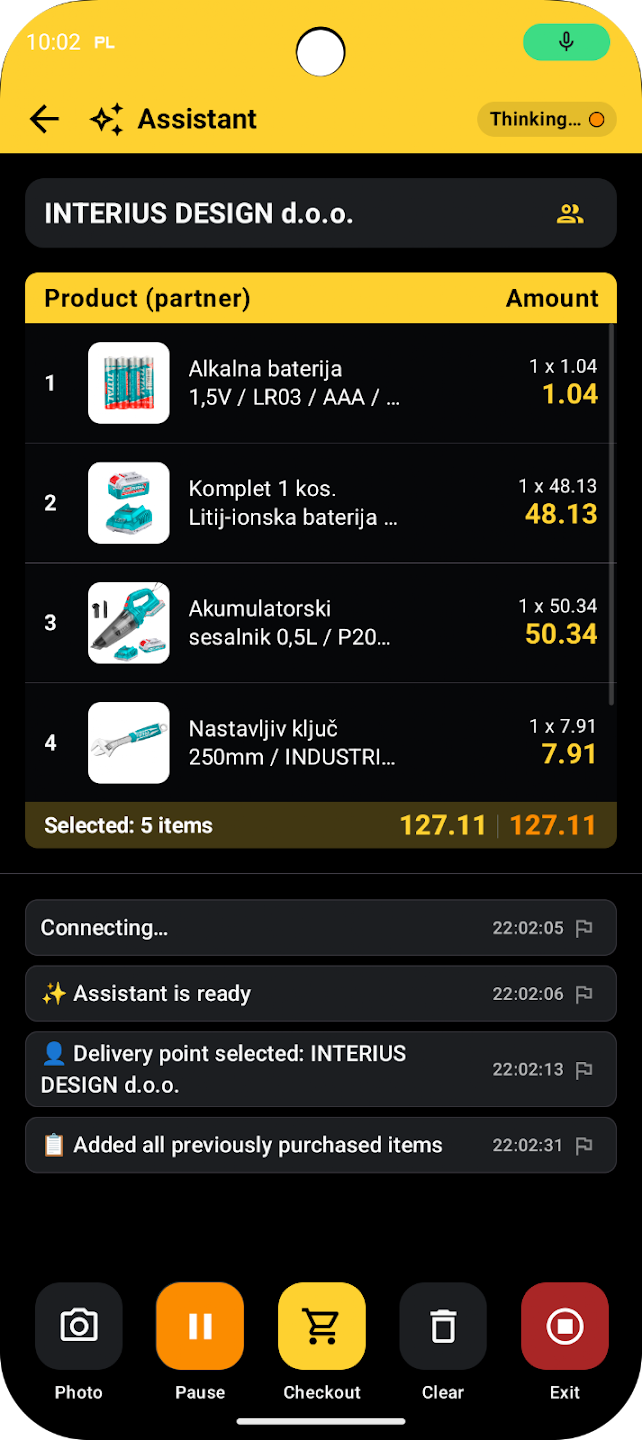
Search products by natural speech, dictate orders hands-free, or snap a product photo. Bring your own API key — core WooCommerce ordering is 100% free without it.
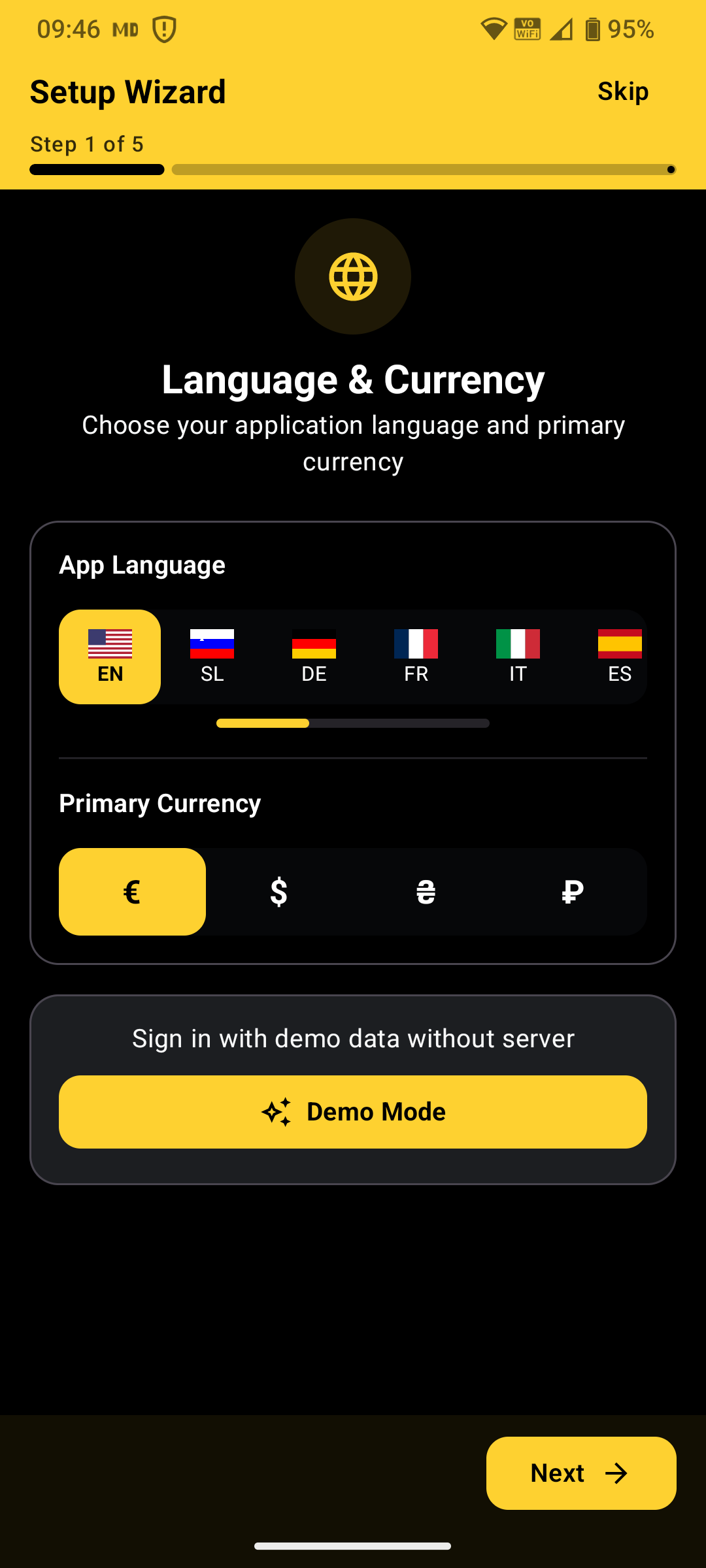
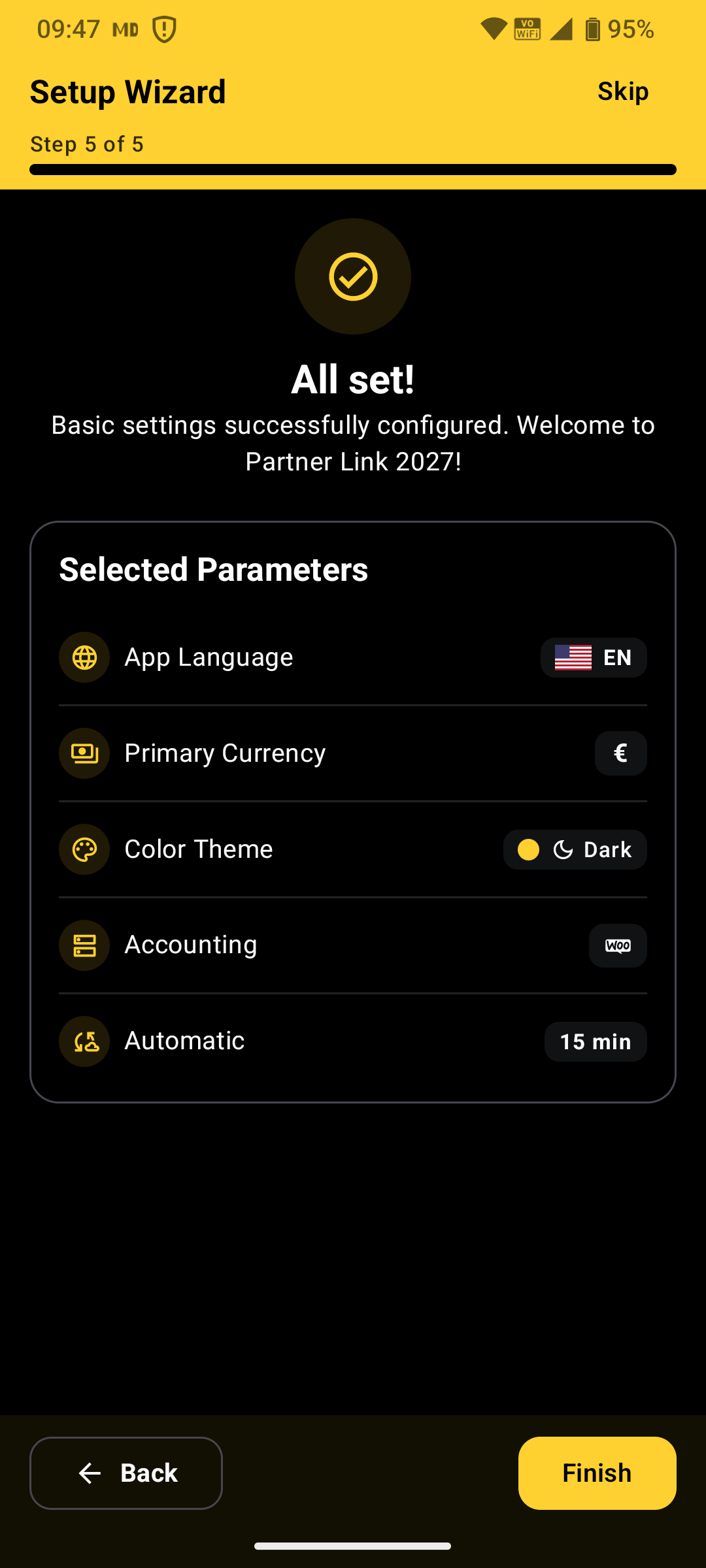
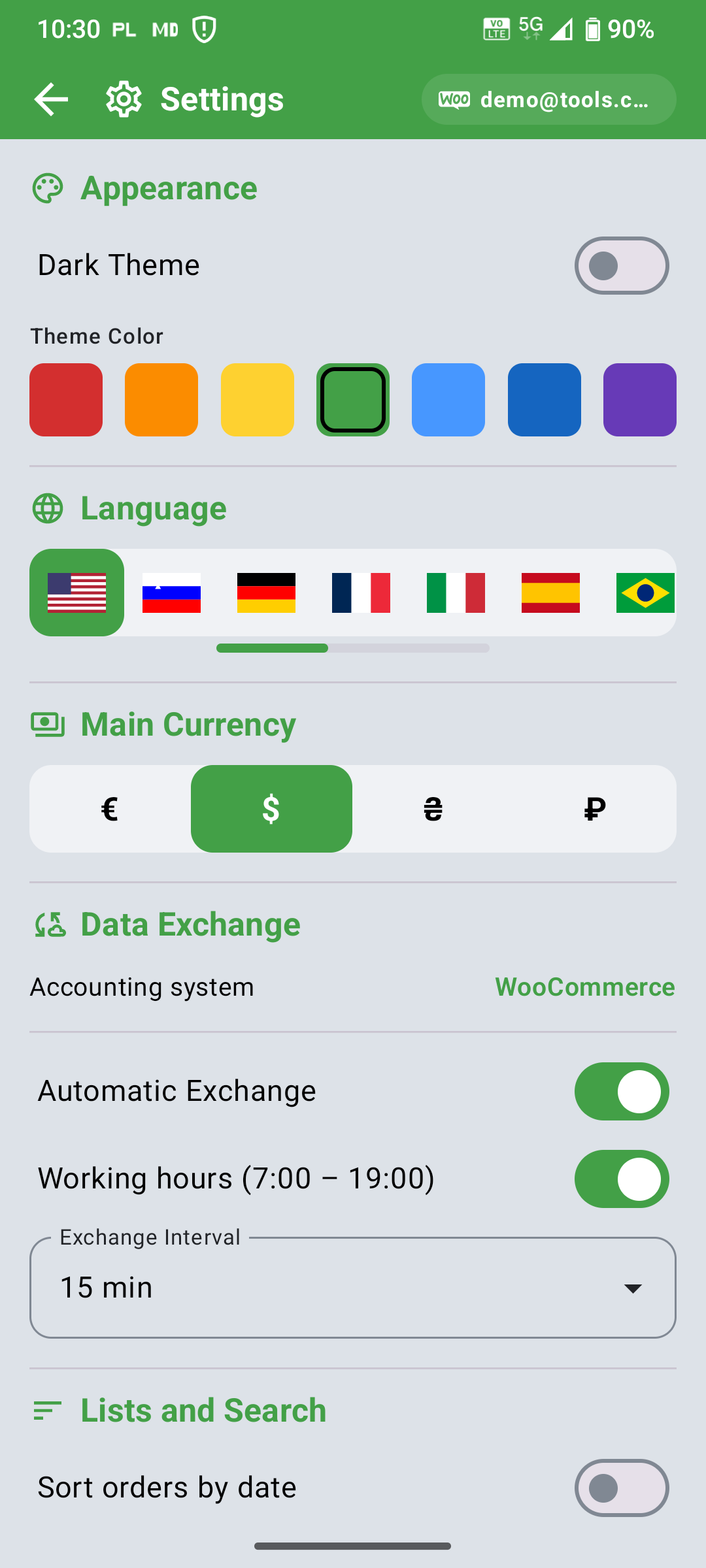
◦ Choose your app language (11 built-in languages) and primary currency.
◦ Pick Dark or Light theme and customize the accent color.
◦ Select WooCommerce as your accounting system and configure background auto-sync.
When you open Partner Link 2027 for the first time, the interactive Setup Wizard prepares the app in under a minute — from interface language (English, Slovenian, German, French, Italian, Spanish, Portuguese, Ukrainian, Russian, Japanese, Korean) to background sync intervals and working hours (07:00 – 19:00). You can skip the wizard at any time and fine-tune every preference later in Settings.
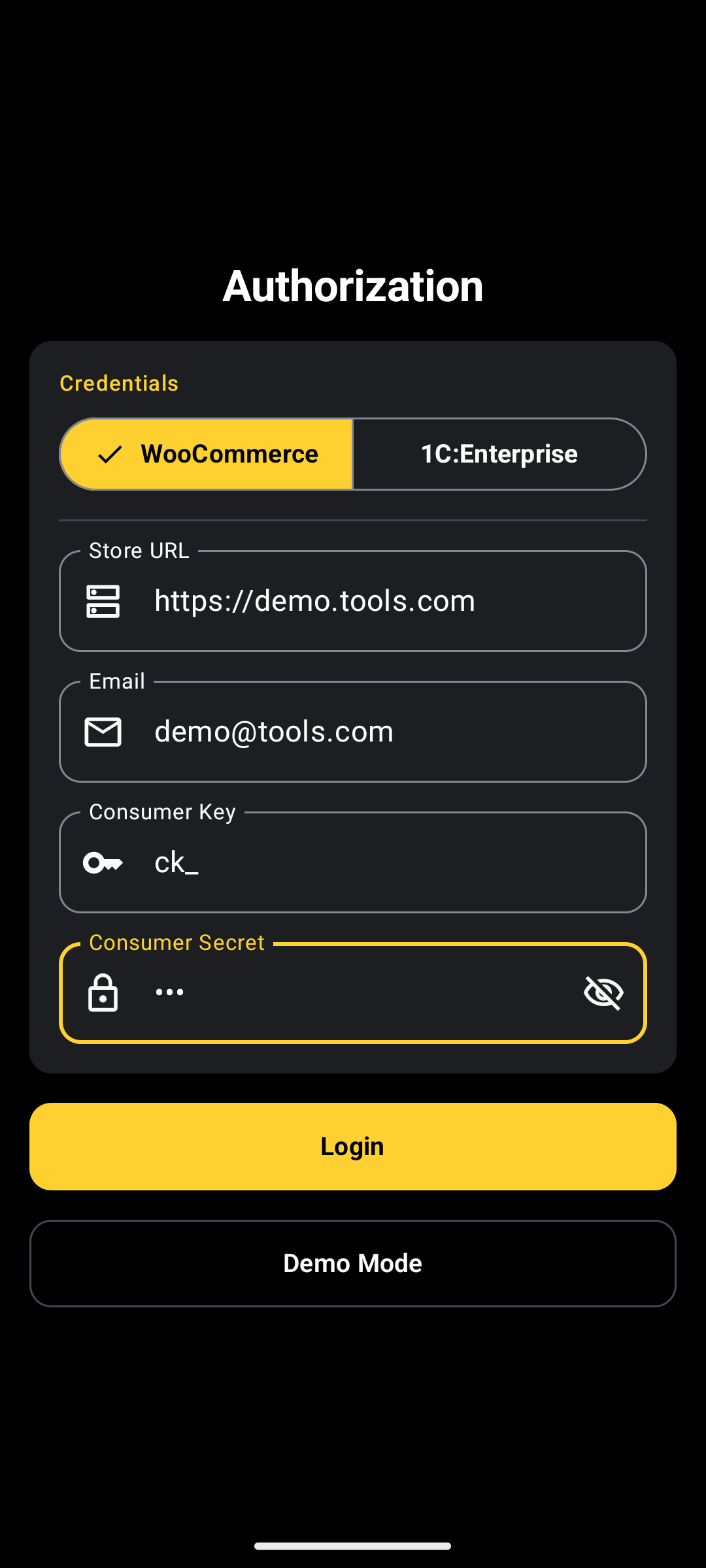
◦ Enter your supplier’s Store URL (e.g., https://yourstore.com).
◦ Provide your WooCommerce REST API Consumer Key and Consumer Secret (Read/Write permissions).
◦ Sign in with the customer Email registered in the WooCommerce store.
REST API credentials are issued by your supplier (or created in WordPress under WooCommerce → Settings → Advanced → REST API). Once signed in, your keys and email are stored locally using Android’s hardware-backed Keystore encryption.
1C:Enterprise Support: Partner Link 2027 also supports data exchange with 1C:Enterprise. For 1C deployment, please contact our development team to agree on the API specification and integration setup.
◦ Synchronize WooCommerce catalogs, prices, delivery points, and order statuses in one tap.
◦ Upload locally saved offline orders immediately or refresh historical documents.
◦ Download product photos to your device for instant offline catalog browsing.
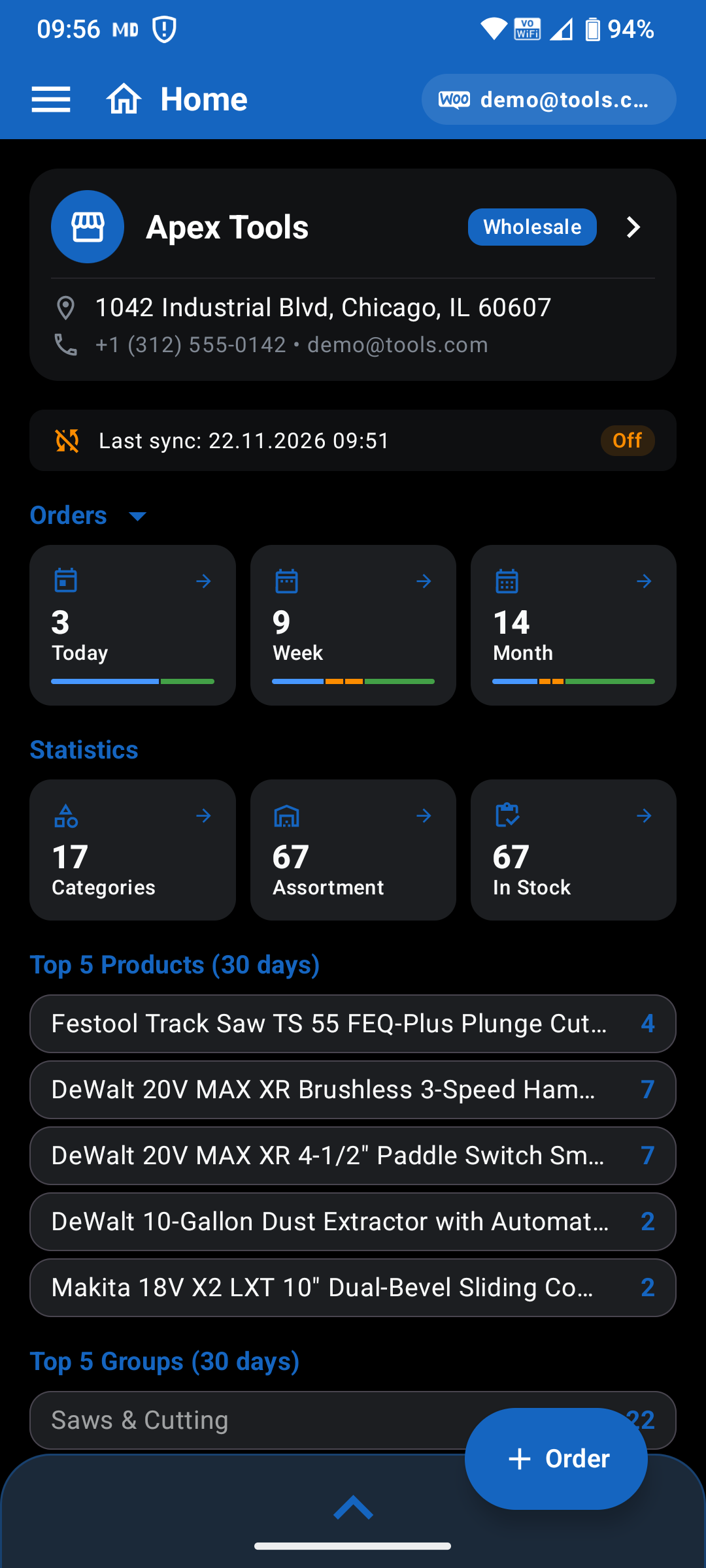
The Home screen displays your last synchronization timestamp, Auto-Sync schedule badge, and a real-time progress bar during data transfer. On smartphones, switch sections from the bottom navigation bar; on tablets and landscape screens, an adaptive side rail keeps every module one tap away.
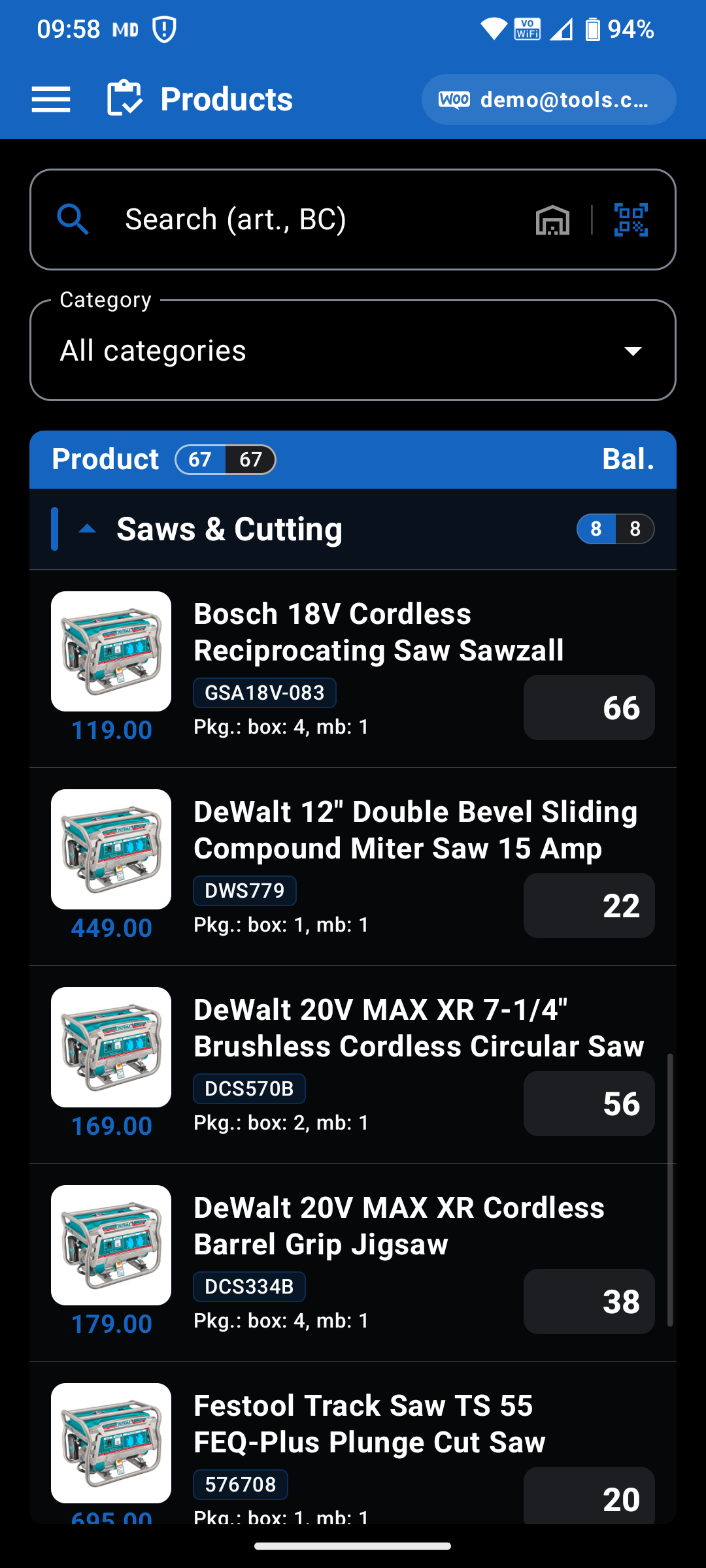
◦ Drill through hierarchical WooCommerce product categories with breadcrumb navigation.
◦ Search instantly by product name, SKU, or barcode — or scan shelf tags with the camera.
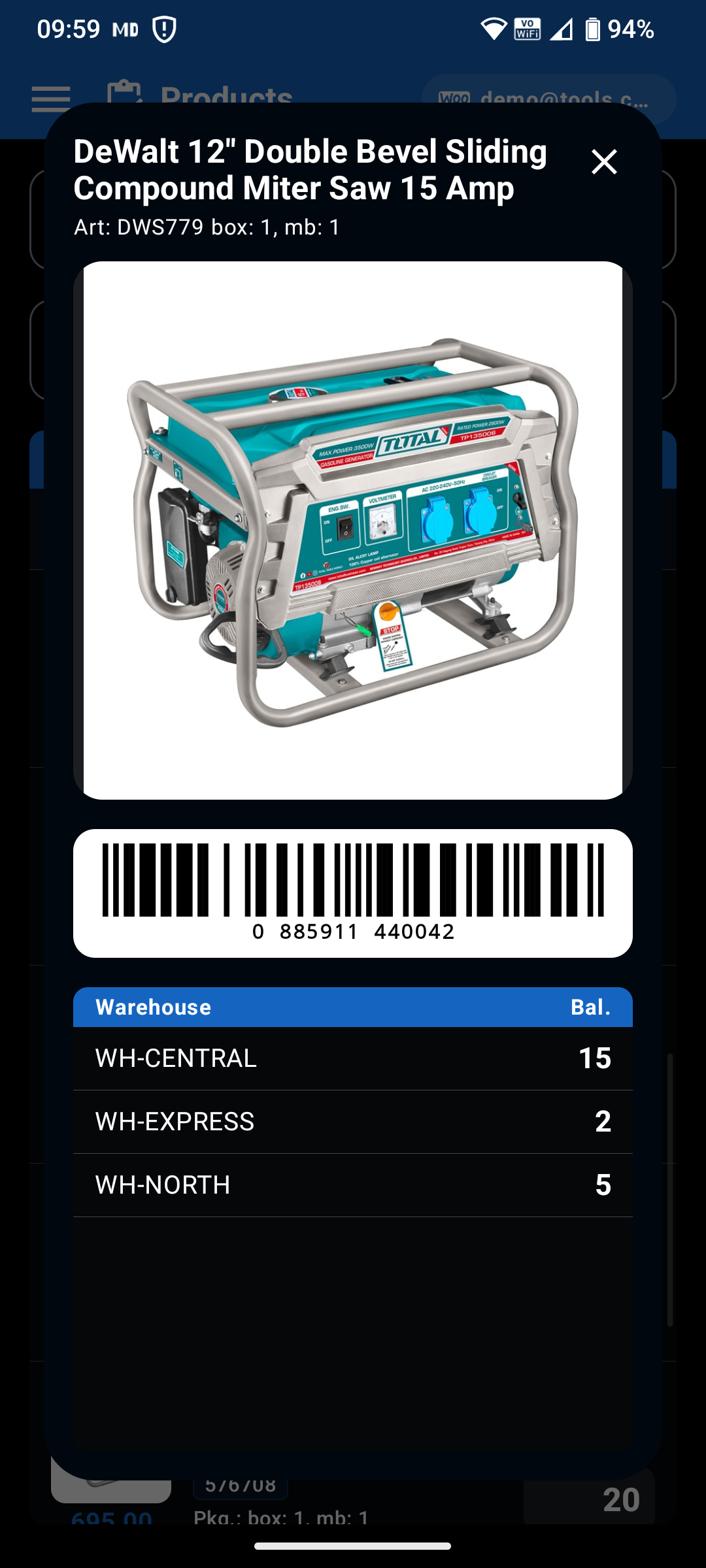
◦ View live In stock / On order availability, partner pricing, and full-screen product photos.
Your supplier’s entire WooCommerce catalog stays cached on your device so browsing and filtering remain instantaneous even with no cellular signal. Toggle the stock filter to display only available items, or tap any product thumbnail to inspect full-resolution photos and specifications.
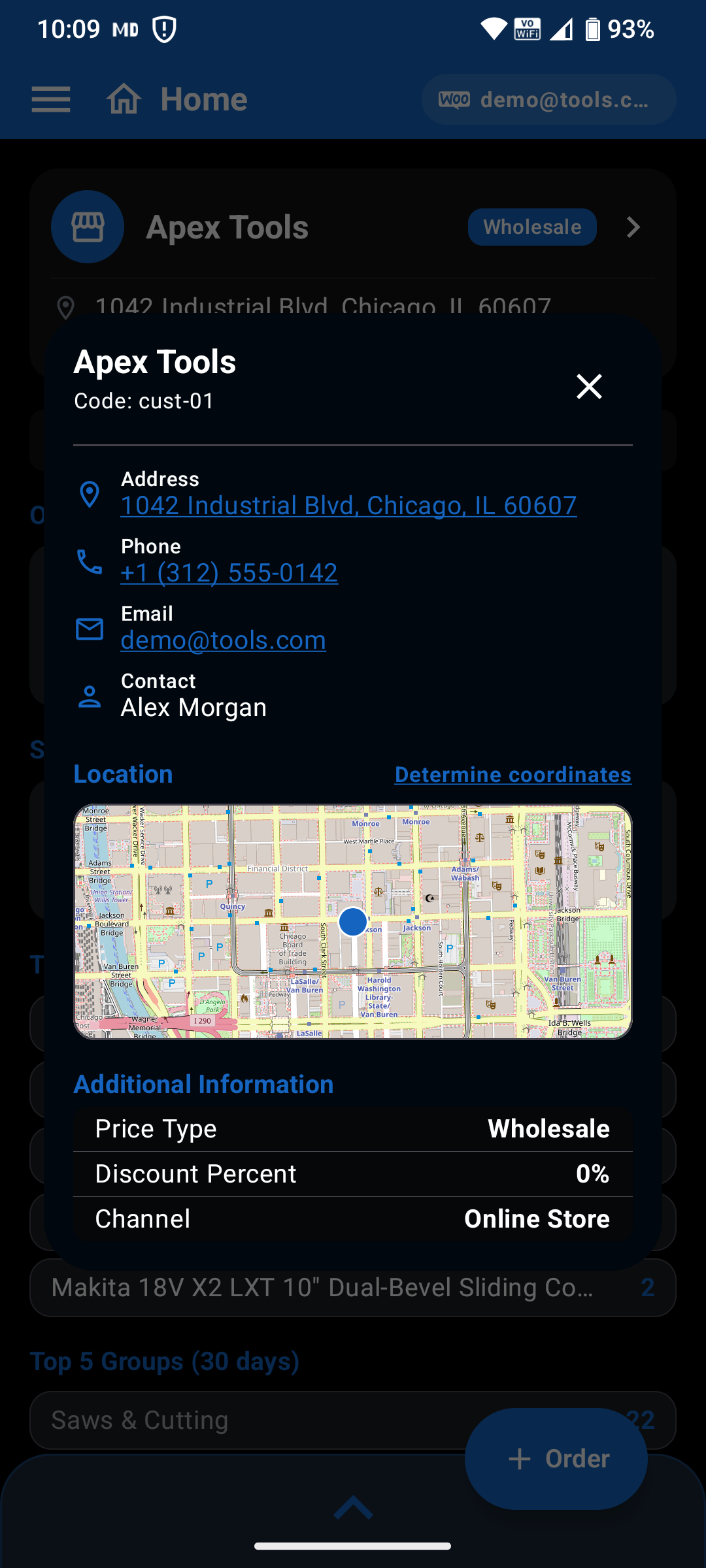
◦ Browse store locations, warehouses, and shipping addresses synced from WooCommerce.
◦ Switch to an interactive OpenStreetMap (OSM) view with delivery markers.
◦ Start a new order directly for any selected location or launch external map navigation.
Managing multiple retail branches or warehouses is effortless: filter delivery points by name or street address, inspect location details and contact numbers, and dispatch orders straight to the right destination without re-typing shipping information.
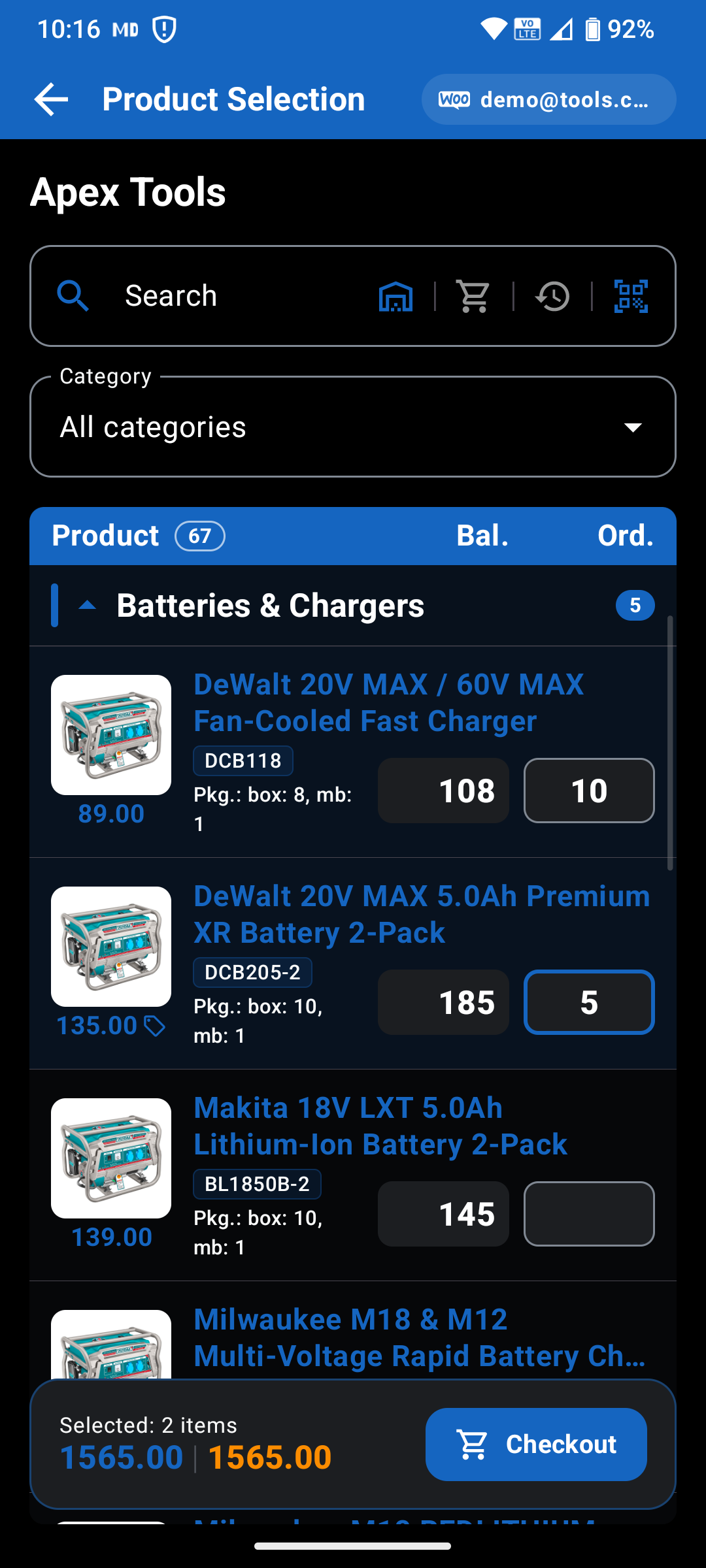
◦ Add items rapidly via categories, SKU search, or camera barcode scanning.
◦ Configure WooCommerce variable product options (sizes, colors, pack types) fetched live from the store.
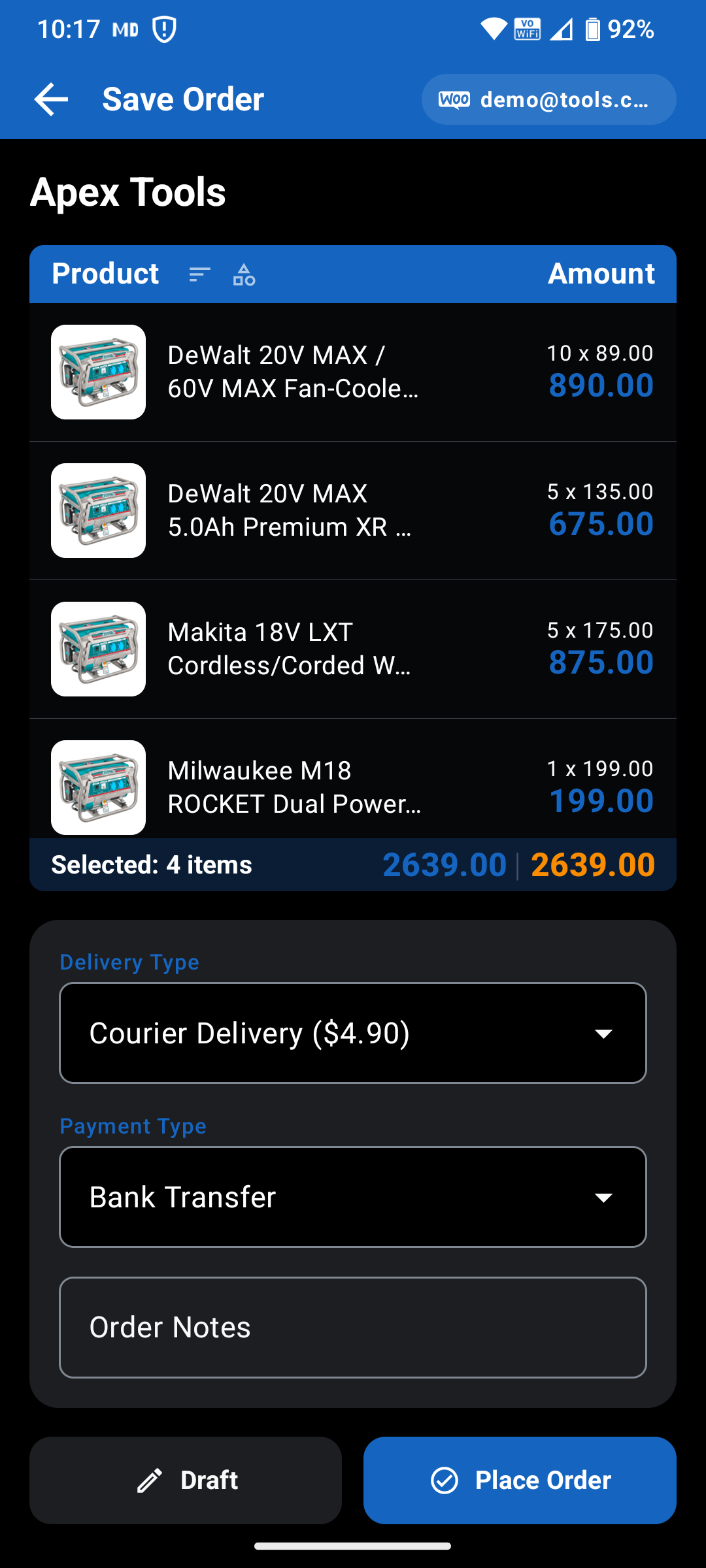
◦ Review totals, set delivery dates and notes, and submit immediately or save offline.
Use quick + / − steppers or type exact quantities directly into the line item. Your cart calculates totals automatically, and any order assembled without an internet connection is safely queued on the device and transmitted to WooCommerce once signal returns.
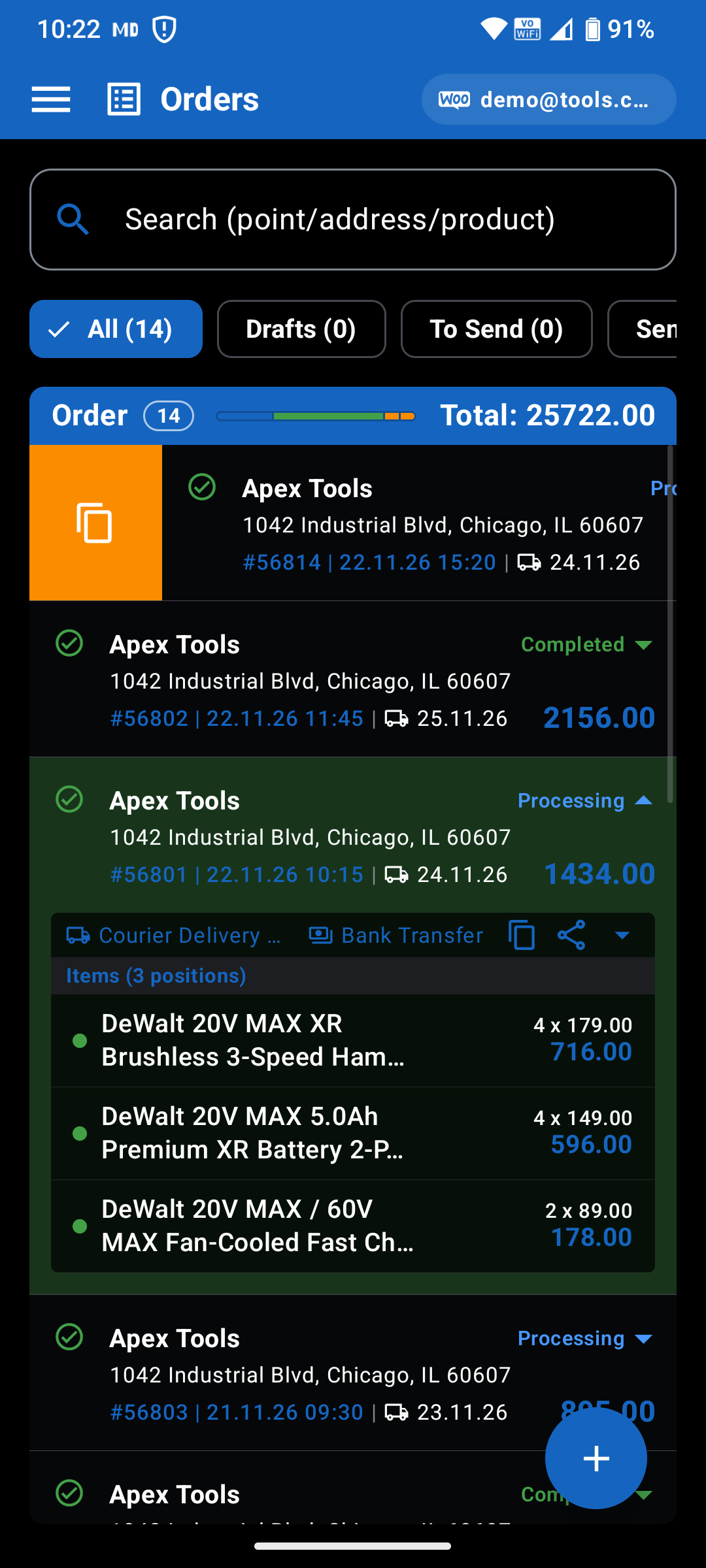
◦ Track live WooCommerce order statuses: Pending payment, Processing, On hold, Completed, Cancelled, Refunded, and Failed.
◦ Edit or delete local draft orders before they are uploaded.
◦ Repeat previous wholesale orders with a single tap for fast regular restocking.
Stay updated on order fulfillment without calling supplier managers or checking emails. An in-app Order Statuses legend explains each WooCommerce stage, and color-coded badges highlight what is still awaiting upload versus confirmed by the store.
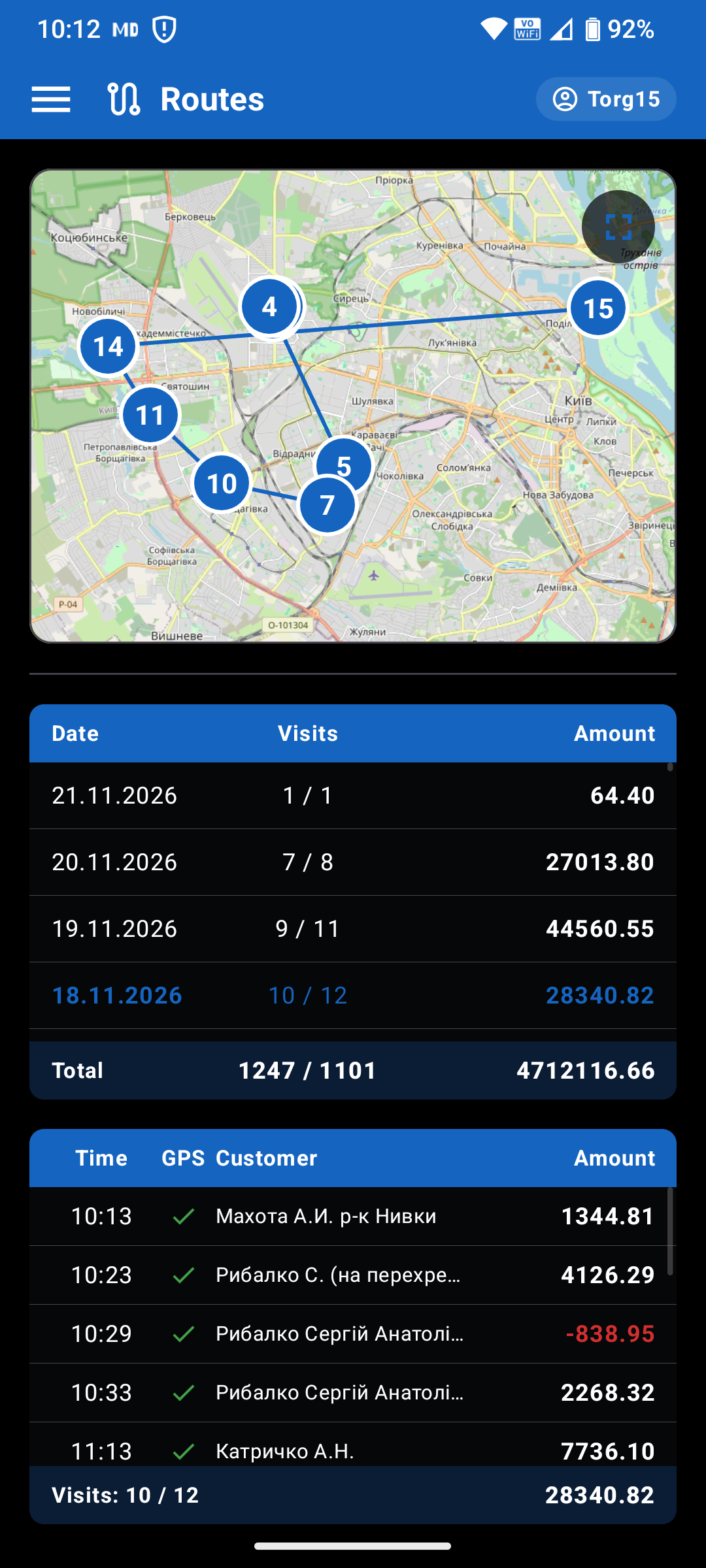
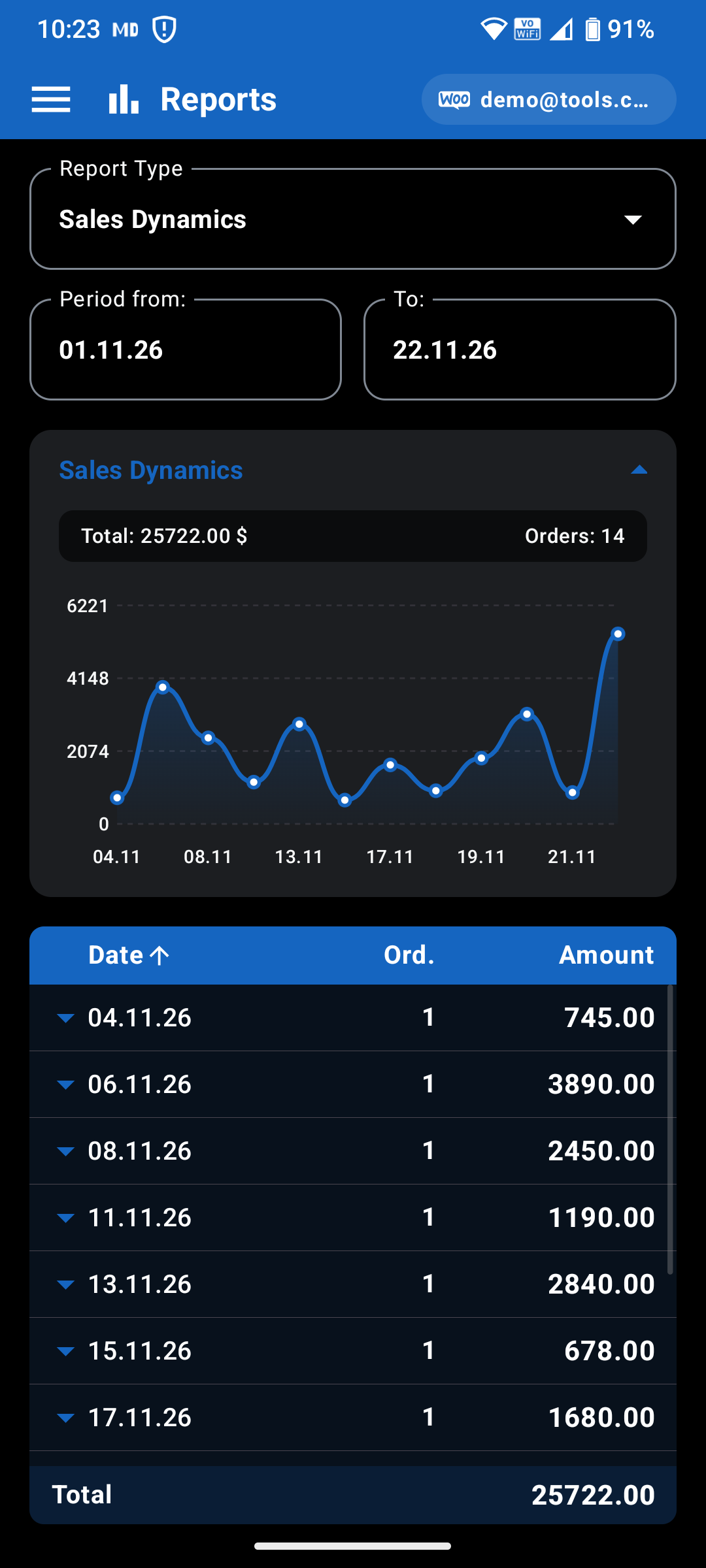
◦ Review Orders by Product, Category, Delivery Point, and Status with Top 10 visual charts.
◦ Track Sales Dynamics, Average Check, and Order Execution across custom date ranges.
All analytics are calculated directly on your device from synced WooCommerce orders, giving purchasing managers an instant overview of spending trends, top-moving items, and branch restocking patterns anywhere — even offline.
◦ Describe products in plain speech when you don’t remember an exact SKU or catalog code.
◦ Dictate wholesale orders hands-free while walking warehouse aisles or checking shelves.
◦ Attach a photo of packaging or a shelf label to identify matching products immediately.
The AI Assistant is powered by Google Gemini using a Bring-Your-Own-Key (BYOK) model: enter your personal Gemini API key in Settings whenever you want to enable voice and vision assistance. All core WooCommerce catalog browsing, ordering, sync, and analytics work 100% free without an API key.
◦ Configure Automatic Exchange intervals and optional Working hours (07:00 – 19:00) scheduling.
◦ Switch interface language, Dark/Light theme, accent color, and Gemini AI Live model anytime.
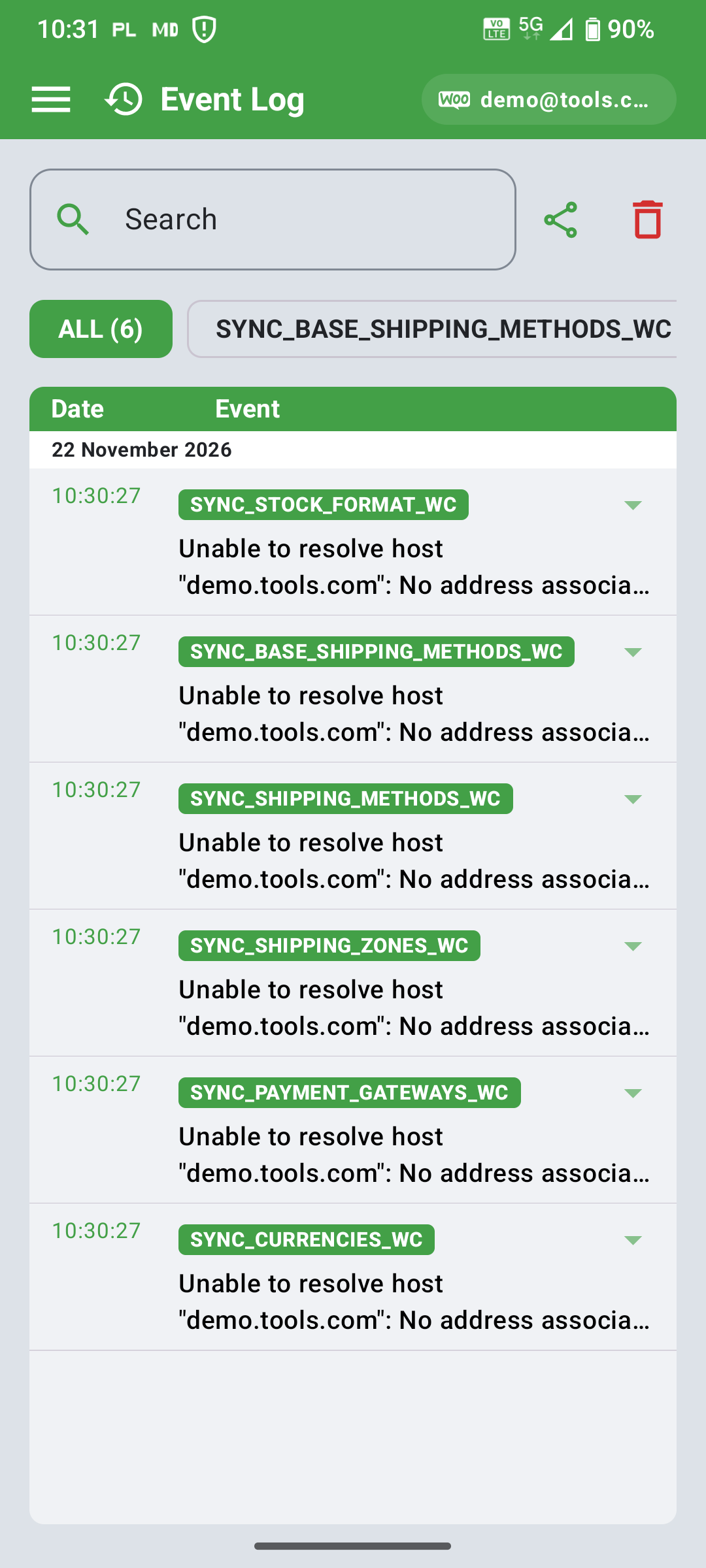
◦ Review chronological Event Logs for transparent sync diagnostics.
Background synchronization keeps your catalog and WooCommerce order statuses fresh while respecting battery life overnight. Whenever a network or authorization issue occurs, the built-in Logs screen captures clear details you can inspect or share with support.
WooCommerce REST API keys, user email, and optional Gemini API keys are stored locally with Android Keystore hardware encryption.
Your device communicates directly with your supplier’s WooCommerce HTTPS API. Business orders and partner prices never pass through third-party proxy servers.
Camera and microphone access are requested only when you explicitly launch the Barcode Scanner or the optional Gemini AI Assistant.
You need your supplier’s Store URL, a WooCommerce REST API Consumer Key and Consumer Secret with Read/Write permissions (created under WooCommerce → Settings → Advanced → REST API), and your registered customer Email address.
Yes. Partner Link 2027 is offline-first. Once synced, your WooCommerce catalog, prices, photos, and delivery points remain available locally. Orders drafted offline upload automatically once connectivity returns.
When selecting a variable product, Partner Link 2027 loads live product options and variations directly from your supplier’s WooCommerce website (an active internet connection is required when configuring options for variable items).
No. All core features — WooCommerce catalog browsing, barcode scanning, order placement, live status tracking, offline sync, and reports — work 100% free without an API key. A personal Google Gemini API key is only needed if you choose to enable the optional AI Voice & Vision Assistant in Settings.
Yes. In addition to WooCommerce, Partner Link 2027 supports data exchange with 1C:Enterprise. For 1C implementation, please contact our development team at info@altair.si to agree on the API specification and integration setup.
Open the built-in Logs screen from the navigation menu to review timestamped sync events and connection details. Verify your Store URL, REST API keys, and internet connection, or share the log entry with your supplier or Altair support.
◦ Need assistance connecting your WooCommerce store, onboarding B2B partners, or discussing a 1C:Enterprise API integration? Contact the Altair d.o.o. team directly.
Altair d.o.o. • Liminjanska cesta 96, 6320 Portorož, Slovenia • +386 313 29 272 • Mon – Fri / 8 am – 4 pm